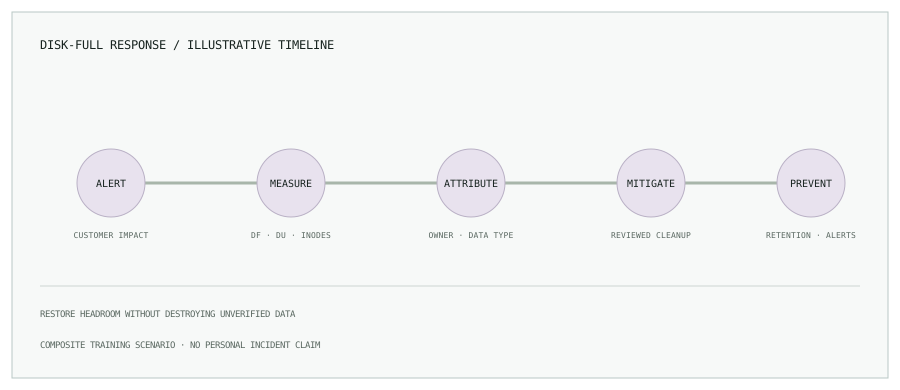
Scenario and impact
An application host begins returning write errors. A dashboard shows the root filesystem is full, and new logs cannot be written. The first priority is to protect the service and preserve evidence—not to delete the largest path before knowing what it contains.
1. Incident timeline
| Time | Action | Decision |
|---|---|---|
| 09:00 | Disk-usage alert fires; on-call acknowledges and checks service impact. | Declare an incident if writes or customer requests are failing. |
| 09:05 | Confirm filesystem, mount, and inode usage. | Identify whether bytes, inodes, or a separate mount are exhausted. |
| 09:12 | Compare top-level directory growth with application, journald, and container accounting. | Assign an owner to the growing data before cleanup. |
| 09:25 | Apply a reviewed, reversible mitigation such as log retention or cleanup of confirmed disposable artifacts. | Restore headroom without deleting live state. |
| After recovery | Document cause, add retention controls, alerts, and a capacity runway. | Track corrective actions to completion. |
2. Investigate with bounded commands
# Filesystem capacity and inode usage
df -h
df -i

# Largest directories on the same filesystem
sudo du -xhd1 /var 2>/dev/null | sort -h
sudo du -xhd1 /var/lib 2>/dev/null | sort -h

# Large files in likely data locations; list only
sudo find /var /home -xdev -type f -size +1G -print 2>/dev/null

# Journal usage
journalctl --disk-usage
The broad command find / -size +1G can cross mounts, produce a large amount of output, reveal sensitive paths, and add I/O load. Prefer a scoped search, -xdev, and a bounded directory after confirming mount points. Finding a large file does not establish that it is safe to remove.
If Docker is the suspected consumer, compare docker system df -v and docker ps -as. If a process has removed a file but still holds it open, lsof +L1 can help identify it; coordinate a controlled process restart rather than deleting files behind the service.
3. Root cause analysis
In this illustrative scenario, the investigation finds a chatty service writing container logs without a bounded local retention policy. The timeline should still consider alternatives: image accumulation, a writable container layer, build cache, application-generated files, journald retention, temporary files, or inode exhaustion.
Ask what changed, which owner created the data, why the filesystem alert did not provide enough runway, and why retention was absent. Avoid stopping at “the disk was too small” when data growth and alerting were also controllable.
4. Immediate mitigation
Coordinate with the service owner. Identify data known to be disposable or already retained elsewhere. Apply the smallest safe change that restores operational headroom; check application health and confirm writes resume.
# Review Docker reclaimable space before any cleanup
docker system df -v

# Review journal size before applying an approved retention policy
journalctl --disk-usage
Do not blindly run docker volume prune, remove files beneath /var/lib/docker, or truncate active logs. Volumes can contain application data, and open log files may continue consuming space after an unlink. Preserve enough evidence for root-cause analysis.
5. Permanent fixes
- Send application output to a managed logging service and bound local Docker log files.
- Apply journald and logrotate retention appropriate to the host’s forensic and compliance needs.
- Use registry and build-cache retention rules, plus controlled cleanup on build agents.
- Separate OS and high-growth data volumes where the architecture and recovery plan support it.
- Alert on filesystem bytes, inodes, growth rate, and estimated time to exhaustion.
- Run a restore and disk-recovery exercise so the runbook is tested.
6. Improve monitoring and the runbook
Alert before the filesystem is full. A fixed percentage can be useful, but pair it with free bytes, growth rate, inode use, and a severity threshold related to expected recovery time. Include mount point, host owner, recent growth, and safe inspection commands in the alert. Test the notification path and keep cleanup decisions with the service owner.
Prevent recurring disk incidents with retention.
Read Linux log management and Docker storage troubleshooting, or browse all engineering notes.