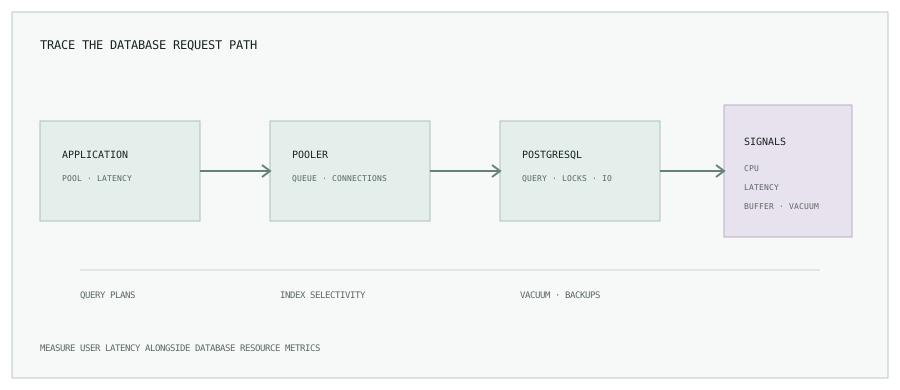
1. Diagnose before tuning
“PostgreSQL is slow” can mean high query latency, lock waits, connection exhaustion, disk saturation, CPU pressure, or application-side queueing. Record the time window, affected endpoints, traffic level, and the change that preceded the issue. Compare query latency with CPU, memory, disk latency, active connections, locks, and cache behavior.
Enable pg_stat_statements through an approved configuration change to aggregate query statistics. Review top queries by total time, calls, and mean time; high total time may be a frequent moderately slow query, while high mean time may point to a small number of expensive calls.
2. Query plans and careful query tuning
Use EXPLAIN to inspect scan types, estimated rows, join order, and sort operations. For a read-only query on representative data, EXPLAIN (ANALYZE, BUFFERS) compares estimates to actual work and shows buffer activity.
EXPLAIN (ANALYZE, BUFFERS)
SELECT id, created_at
FROM orders
WHERE customer_id = 42
ORDER BY created_at DESC
LIMIT 50;
Caution: ANALYZE executes the statement. Do not use this blindly on writes or an expensive query against a busy production system. Test on a clone or use a bounded, representative read. Update stale statistics with ANALYZE and check whether query predicates match available indexes.
3. Index for real access patterns
Indexes can speed reads but cost disk, add write work, and may slow updates. Design them from query predicates and sort order; verify with plans rather than indexing every column. Composite index column order matters. Partial indexes can help when a query repeatedly selects a stable subset of rows.
CREATE INDEX CONCURRENTLY idx_orders_customer_created
ON orders (customer_id, created_at DESC);
CREATE INDEX CONCURRENTLY avoids the stronger write-blocking behavior of a regular index build, but takes longer, uses resources, and has operational constraints. Monitor progress and confirm validity. Remove unused indexes only after checking a representative observation window and dependent constraints.
4. Control connection pressure
Each PostgreSQL connection consumes resources. If many application replicas each open a large pool, the combined connection count can overwhelm the server even when query volume is moderate. Calculate pool size across all processes, leave operational headroom, and monitor idle, active, and waiting clients.
PgBouncer can pool client connections and reduce backend connection churn. Transaction pooling provides the most sharing but changes connection semantics; session-level features, temporary tables, and some prepared-statement behavior may not work as expected. Test application compatibility before selecting a mode.
SELECT state, count(*)
FROM pg_stat_activity
GROUP BY state
ORDER BY count(*) DESC;
5. Keep vacuum and statistics healthy
PostgreSQL’s MVCC model leaves obsolete row versions after updates and deletes. Autovacuum reclaims space for reuse and refreshes statistics. Watch dead tuples, autovacuum activity, transaction ID age, and long-running transactions that can delay cleanup. Tune per-table settings only when observed workload justifies it.
VACUUM (ANALYZE) is routine maintenance that can improve statistics and reclaim reusable space. It does not generally shrink a table file back to the operating system. VACUUM FULL rewrites the table and requires a stronger lock; treat it as a planned maintenance operation, not a first response.
6. Monitor the signals together
| Signal | Why it matters | Follow-up |
|---|---|---|
| Slow query count and latency | Shows where user time and database work accumulate. | Rank by total time and calls, then inspect plans. |
| CPU and disk latency | Can expose saturation or inefficient I/O patterns. | Correlate with queries, checkpoints, and workload. |
| Buffer cache hit ratio | Useful trend signal, but not a standalone health score. | Check physical reads, query plans, and memory pressure too. |
| Connections and lock waits | Can cause request queues even when CPU appears low. | Inspect pool configuration and blocking sessions. |
| Dead tuples and vacuum lag | Indicates cleanup or transaction-age risk. | Review autovacuum and long-running transactions. |
A high buffer-cache hit ratio does not prove a healthy database; a workload can be slow because of CPU, locks, or inefficient plans while most blocks still come from cache. Pair ratios with absolute counts and user-facing latency.
7. Backups and recovery are part of operations
Choose backup frequency and point-in-time recovery according to business RPO and RTO. Use managed snapshots, base backups, and continuous WAL archiving where appropriate. Encrypt backups, restrict access, monitor completion and retention, and regularly restore into an isolated environment. A backup that has never been restored is an untested assumption.
- Establish a latency and workload baseline.
- Find the expensive query or resource constraint.
- Test one targeted change and compare plans and service metrics.
- Watch locks, replication lag, and error rates during rollout.
- Record the result and retain a tested restore path.
Measure the whole service, not just the database.
Continue with Prometheus and Grafana monitoring, or browse all engineering notes.